
Planning a trip to Germany? Whether you’re exploring Berlin’s street art scene, hiking in the Bavarian Alps, or catching a train between Munich and Hamburg, you’ll want reliable mobile data from the moment you land. An eSIM gets you online in minutes without hunting for a SIM card shop at the airport. This guide breaks down the best eSIM options for Germany in 2026, with real pricing, network details, and setup steps.
Why You Need an eSIM for Germany
International roaming through your home carrier can cost anywhere from $5 to $15 per day, and some carriers throttle speeds or restrict data entirely in Europe. An eSIM for Germany connects you to local networks like Deutsche Telekom, Vodafone, or O2 at a fraction of the cost.
Germany has strong 4G coverage across the country and expanding 5G in major cities. According to the Bundesnetzagentur (Germany’s Federal Network Agency), 4G covers over 98% of the population as of 2025. Rural areas in states like Mecklenburg-Vorpommern or parts of Saxony can have weaker signals, but you’ll be fine in any town or along major highways.
The biggest advantage? You buy and activate an eSIM before your flight even lands. No paperwork, no passport scan at a shop counter, no waiting. Open your phone’s settings, scan a QR code, and you’re connected.
Best eSIM Providers for Germany in 2026
I’ve compared over 30 providers to find the ones that actually deliver good value and reliable coverage in Germany. Here’s what stands out.
Airhub
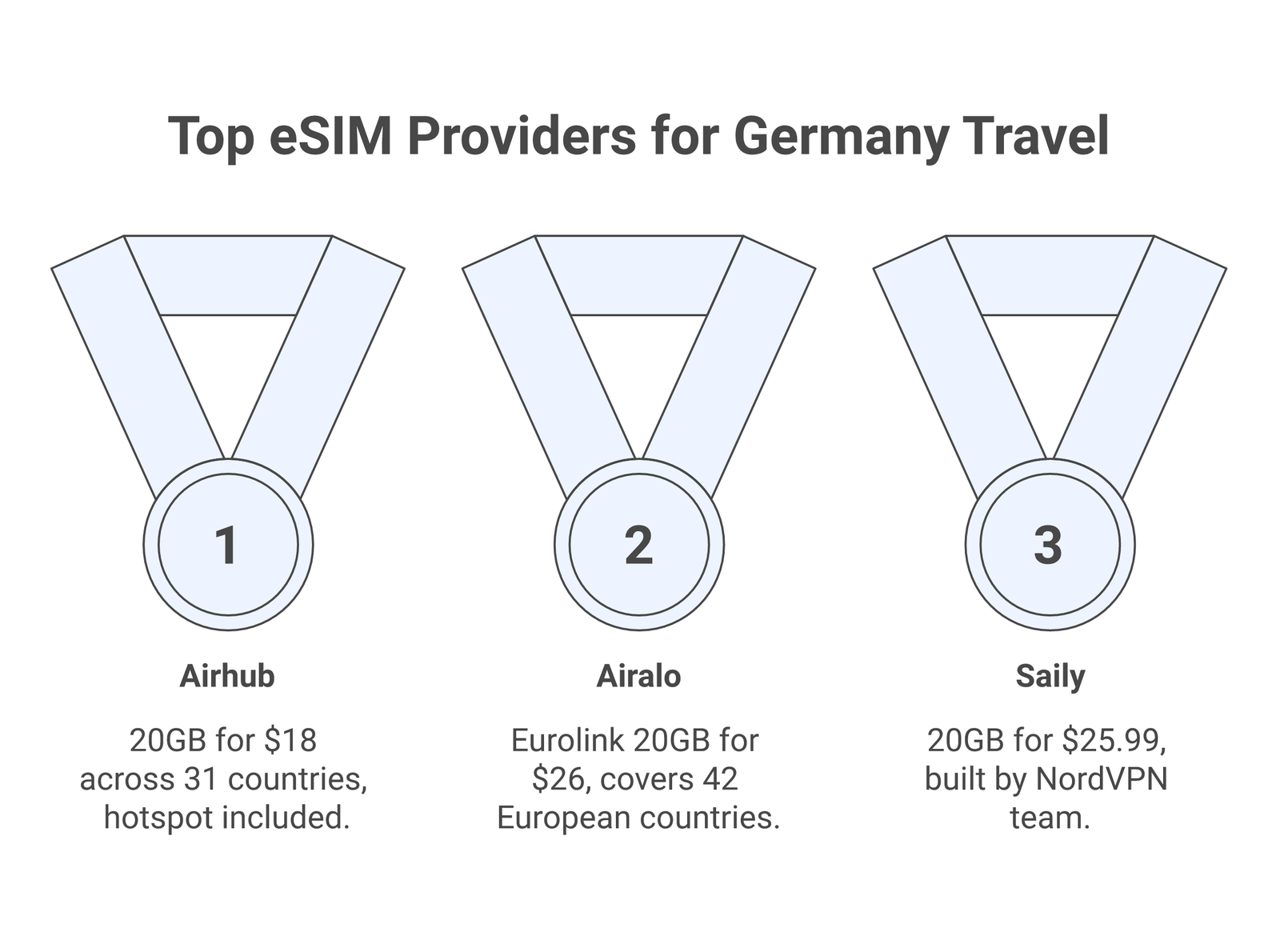
Airhub offers 20GB for $18 (30 days), which works out to $0.90 per GB. It covers 31 European countries, so it works if you’re also visiting Austria, Switzerland, or the Netherlands on the same trip. Hotspot sharing is included, and activation is instant through their app.
Airalo
Airalo is the most well-known eSIM marketplace, with Germany-specific plans starting at around $4.50 for 1GB. Their Eurolink plan offers 20GB for $26, covering 42 European countries. Coverage runs on 4G and 5G networks. The app is polished, and customer support responds quickly through in-app chat.
Saily
Saily, built by the team behind NordVPN, has plans for Germany starting at $4.49 for 1GB. Their 20GB plan costs $25.99. The unlimited plan (5GB per day at full speed, then throttled) is a good pick if you’re streaming or using video calls. The app is clean and straightforward.
Jetpac
Jetpac matches Airhub’s pricing at roughly $0.90 per GB and focuses on Europe-wide coverage. It’s a newer player but has built a solid reputation among budget-conscious travelers. Plans are data-only, which is fine for most tourists who rely on WhatsApp, Maps, and translation apps.
Holafly
Holafly stands out with truly unlimited data plans for Germany. Pricing starts at around $19 for 5 days of unlimited data. If you’re a heavy user who streams music, uploads photos, or needs constant maps navigation, Holafly removes the worry about running out of data mid-trip.
✓ Quick Comparison
- ✓ Best overall value: Airhub (20GB / $18 / 30 days)
- ✓ Most trusted brand: Airalo (20GB Eurolink / $26)
- ✓ Unlimited data: Holafly (from $19 / 5 days)
- ✓ Best app experience: Saily (20GB / $25.99)
- ✓ Budget pick: Jetpac (~$0.90/GB)
Germany’s Mobile Networks: What Your eSIM Connects To
Germany has three major mobile operators. Which one your eSIM connects to depends on the provider you choose, though most travelers won’t notice much difference in cities.
Deutsche Telekom has the best rural coverage and the most extensive 5G rollout. If your itinerary includes smaller towns in Bavaria or the Black Forest, an eSIM routed through Telekom will give you the most consistent signal. According to Opensignal, Telekom leads in download speeds across Germany.
Vodafone Germany is the second-largest carrier with solid 4G coverage and growing 5G availability. It’s the backbone network for several eSIM providers including some Airalo plans.
O2 (Telefonica Germany) merged with E-Plus in 2014 and has been steadily improving. It’s the cheapest network for local prepaid plans and works well in urban areas, though coverage drops off faster in rural spots compared to Telekom.
How to Set Up Your eSIM for Germany
Setting up an eSIM takes about five minutes. Here’s the process:
1. Check your phone supports eSIM. Most phones released after 2020 do, including iPhone XS and newer, Samsung Galaxy S20 and newer, Google Pixel 3 and newer. Apple has a full list on their eSIM support page.
2. Make sure your phone is unlocked. Carrier-locked phones often block eSIM profiles from other providers. Contact your carrier if you’re unsure.
3. Buy your eSIM before departure. Download the provider’s app (Airalo, Saily, etc.), pick a Germany or Europe plan, and complete the purchase. You’ll receive a QR code or the app will install the profile directly.
4. Install the eSIM profile. On iPhone, go to Settings > Cellular > Add eSIM. On Android, go to Settings > Network > SIMs > Add eSIM. Scan the QR code or follow the in-app prompts.
5. Activate when you arrive. Some plans activate automatically when they detect a local network. Others require you to toggle the eSIM line on manually. Keep your home SIM active for calls and texts if you want, and use the eSIM just for data.
💡 Pro Tip
Install your eSIM while you still have WiFi at home or at the airport. Some providers require an internet connection during the initial setup, and you won’t have data yet when you land in Germany.
How Much Data Do You Actually Need in Germany?
This depends on how you use your phone. Germany has free WiFi at most hotels, hostels, and cafes, but public WiFi on trains (Deutsche Bahn offers WiFi on ICE trains) can be spotty.
Light use (1-3GB): You mostly use WiFi and just need data for maps, messaging, and occasional web browsing. A 3GB plan works for a week-long trip if you’re not streaming.
Moderate use (5-10GB): You use Google Maps regularly, post photos on social media, make voice calls over WhatsApp, and browse the web throughout the day. This is the sweet spot for most tourists spending 7-14 days in Germany.
Heavy use (15GB+): You stream Spotify or YouTube, work remotely from coffee shops, use video calls, or share your hotspot with a travel companion. Go for a 20GB plan or unlimited.
eSIM vs Local German SIM Card
Germany requires ID verification for all SIM card purchases, including prepaid ones. This is part of the Telecommunications Act (TKG), and it means you’ll need to show your passport and go through video identification or visit a store in person.
The verification process can take anywhere from 10 minutes (video ident) to a couple of hours (in-store during busy periods). For short trips, this hassle alone makes an eSIM the better option. You skip the ID check entirely because eSIM providers handle verification differently or operate under different jurisdictions.
Local prepaid SIMs from Telekom or O2 start at around €4.95 for 1GB per month, which is cheap. But factoring in the activation time and store visit, an eSIM at $4.50 for 1GB with instant activation is more practical for visitors.
If you’re staying in Germany for more than a month, a local SIM starts making more sense financially. For trips under 30 days, stick with an eSIM.
📝 Important Note
Germany’s SIM registration law applies to all physical SIM cards. Some eSIM providers bypass this since they’re registered in other countries. However, this also means most eSIM plans for Germany are data-only, so you won’t get a local German phone number for making traditional calls.
Connectivity Tips for Specific German Cities
Berlin: Excellent coverage across all three networks. 5G is widely available in the city center, Mitte, Kreuzberg, and around Alexanderplatz. The U-Bahn and S-Bahn have decent underground coverage on newer lines, though some older stations still have dead spots.
Munich: Strong 4G/5G across the city. Coverage holds up well even at Oktoberfest grounds (Theresienwiese), though speeds can slow when hundreds of thousands of people are all trying to post selfies at once. The MVV public transport system generally has good signal.
Hamburg: Reliable coverage throughout the port area and city center. The Elbe Tunnel and some parts of the Hafencity can briefly drop signal.
Rhine Valley and Black Forest: Coverage is good along main routes and in towns. Hiking trails in remote valleys can lose signal, especially on O2. If you’re planning extended hikes, download offline maps from Google Maps before you go.
Autobahn: 4G coverage along major highways (A1 through A9) is generally reliable. Brief drops happen between cell towers in less populated stretches, but you’ll rarely lose signal for more than a few seconds.
Using Your eSIM on German Trains
Germany’s rail network is excellent for getting around, but onboard WiFi on Deutsche Bahn ICE trains can be unreliable. The free WiFi portal (WIFIonICE) has bandwidth limits and can get congested on popular routes like Berlin-Munich or Frankfurt-Cologne.
Your eSIM gives you independent mobile data, so you don’t have to rely on the train’s WiFi. Speeds will fluctuate as the train moves between cell towers, but for messaging, email, and light browsing, it works fine. Video streaming can buffer on faster train segments where handoffs between towers happen more frequently.
Regional trains (RE and RB) generally don’t have WiFi at all, making your eSIM data even more valuable for those routes.
Can You Use Your Germany eSIM in Neighboring Countries?
This depends on the plan you buy. Germany-specific eSIM plans (like Airalo’s local plan) only work in Germany. Europe-wide plans from Airhub, Airalo Eurolink, Saily, or Holafly cover the entire EU and often Switzerland too.
If you’re planning day trips to Austria, the Czech Republic, or the Netherlands, buy a European plan from the start. It usually costs a few dollars more than a Germany-only plan, but saves you from buying a second eSIM.
Under EU roaming regulations, local German SIM cards can be used across the EU at domestic rates. But this only applies to physical SIMs registered in Germany, not to international eSIM plans. eSIM providers set their own coverage zones.
💡 Pro Tip
If your Germany trip includes a stop in Switzerland, double-check your plan. Switzerland isn’t in the EU, and some “Europe” plans exclude it. Airhub and Airalo Eurolink both include Switzerland.
Common Issues and How to Fix Them
eSIM not connecting after landing: Toggle airplane mode on and off. If that doesn’t work, go to your cellular settings and make sure the eSIM line is enabled for data. On iPhone, check Settings > Cellular and set the eSIM as the primary data line.
Slow speeds: Your eSIM might be connecting to a congested network. Try toggling the eSIM off and back on to force a network reconnect. In rare cases, manually selecting a network (Settings > Carrier > Manual) can help.
“No Service” in rural areas: Germany’s rural coverage has improved but isn’t perfect. If you lose signal in the countryside, check if your phone is set to 4G/LTE. Some phones default to 5G-only mode, which has less coverage outside cities.
Data ran out mid-trip: Most providers let you buy top-ups through their app. Airalo and Saily both support adding data without installing a new eSIM profile. Open the app, go to your active plan, and purchase an add-on.
⚠️ Disclaimer
Pricing and plan details are accurate as of March 2026. eSIM providers frequently update their offerings, so check the provider’s website for current rates before purchasing. Network coverage may vary based on your specific device and location.
Frequently Asked Questions
Do I need to register my eSIM in Germany?
No. Unlike physical SIM cards, international eSIMs purchased through providers like Airalo or Saily don’t require German ID verification. You buy the plan online, install the profile, and start using data when you arrive.
Will my eSIM work on the autobahn?
Yes. Major highways in Germany have good 4G coverage. You might experience brief signal drops between cell towers in less populated stretches, but these last only a few seconds. GPS navigation works independently of cellular signal, so your maps will still function even during brief drops.
Can I make phone calls with a Germany eSIM?
Most travel eSIMs are data-only, meaning no traditional voice calls or SMS. However, you can make calls through WhatsApp, FaceTime, Zoom, or any VoIP app using your data connection. Keep your home SIM active in your phone’s second slot if you need to receive calls on your regular number.
How do I check how much eSIM data I’ve used?
On iPhone, go to Settings > Cellular and check usage under your eSIM line. On Android, go to Settings > Network > Data usage. Most eSIM provider apps also show remaining data in real-time, which is more accurate than your phone’s built-in counter.
What happens if I use all my data?
Your data connection stops working. There are no surprise overage charges with travel eSIMs. You can buy a top-up through the provider’s app (Airalo and Saily both support this) or connect to WiFi until you purchase more data.